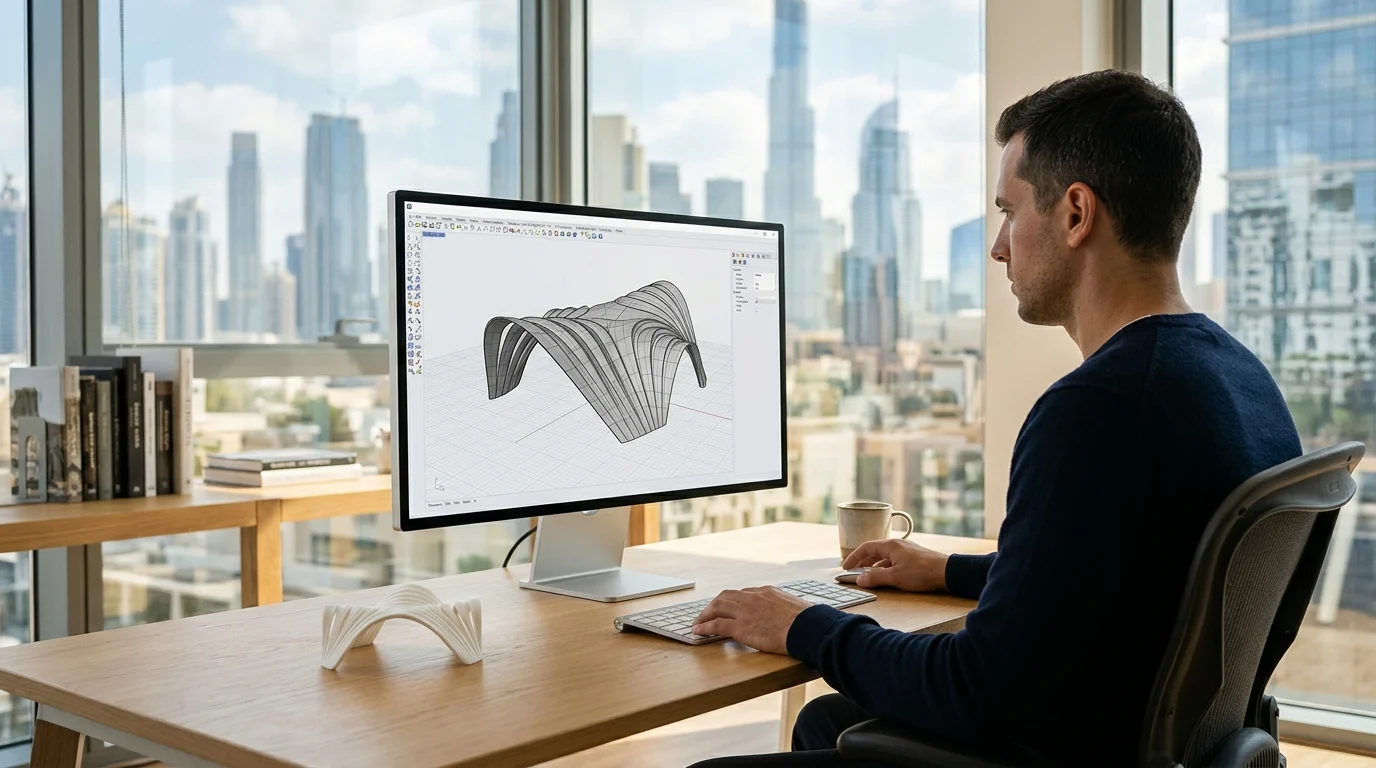
If you are new to Rhino, start with a Rhino 3D course in Dubai that teaches core modelling first. Move on to Rhino and Grasshopper once you can build curves, surfaces and solids with confidence. This guide helps you pick the right level, check what you need and prepare for your first class.
Key takeaways
- Rhino is 3D modelling software for smooth, exact shapes in product design, architecture and fabrication.
- Grasshopper comes included with Rhino and lets you build designs from rules without writing any code.
- Beginners should start with Rhino basics, because Grasshopper depends on those modelling skills.
- If you already model accurately in Rhino, a Rhino Grasshopper course may be your natural next step.
- Talk to a course adviser to confirm the right level for your experience before you join.
What is Rhino 3D and who uses it in Dubai?
Rhino, short for Rhinoceros, is 3D modelling software made by McNeel. You use it to draw and shape digital objects with a high level of accuracy.
Rhino is built on NURBS, which means curves and surfaces defined by maths, so they stay smooth and exact at any size. It also works with meshes, which are shapes made of many small flat faces. Its SubD tools give you a quick way to shape soft, rounded forms, like a sofa cushion.
Rhino runs on Windows and macOS, and it imports and exports many different file formats. These include DWG and DXF drawings, STEP files and SketchUp models, so it is easy to share work with other teams.
In Dubai and across the UAE, you will find Rhino in many kinds of creative and technical work:
- Architecture and facade firms use it for curved roofs, towers and decorative building skins.
- Interior fit-out companies use it for custom joinery, ceilings, counters and feature walls.
- Product designers use it to develop furniture, lighting and everyday household items.
- Jewellery designers use it for rings, pendants and pieces with very fine detail.
- Fabrication workshops use it to prepare accurate models for 3D printing and laser cutting.
Not every company uses Rhino, but it is worth considering if your work involves curves, custom shapes or fabrication.
How is Rhino different from SketchUp, Revit and AutoCAD?
Each of these applications has a different purpose, so a simple comparison helps:
- AutoCAD is mainly used for 2D drawings and plans, with some 3D tools as well.
- SketchUp is quick and friendly for simple 3D blocks and early design ideas.
- Revit is BIM software, where the building model also holds information about walls, doors and materials.
- Rhino is made for free-form shapes and exact surfaces that other tools find difficult to create.
Rhino is often the better first tool if you design objects, curved forms or parts that will be manufactured. Think of a curved reception desk in a hotel lobby, a pendant lamp or a gold ring. Revit may suit you better if your main goal is full building documentation inside a BIM team.
Our guide on SketchUp vs Revit and which to learn first explains how to choose between those two. Many professionals learn Rhino alongside one of these tools, not instead of them.
What is Grasshopper, and do you need to code?
Grasshopper is a visual editor that comes included with Rhino. It opens directly inside Rhino, so there is no separate application to install.
Instead of writing code, you place blocks called components on a canvas and connect them with wires. Information flows from one block to the next, and each block performs one task, such as dividing a surface.
This lets you build a design from rules, which is what people mean by parametric design. Change one value, such as the height of a tower, and the whole model updates automatically.
You need no coding knowledge to use Grasshopper, but you do need to understand Rhino geometry first. Grasshopper creates curves, surfaces and solids, so you must already understand how those shapes behave.
Which Rhino 3D course in Dubai level should you start at?
The safest approach is simple: learn Rhino basics first, then add Grasshopper when you are ready.
McNeel, the company that makes Rhino, sets out its own training path in the same order. Level 1 covers core modelling, including the interface, curves, snaps, editing, surfaces, solids, basic rendering and layouts.
Level 2 moves on to advanced surfaces, curvature, continuity and custom construction planes. It also covers building models from drawings and scans, and cleaning up imported files. McNeel says Level 2 assumes you already have Level 1 skills.
Grasshopper sits on top of these same skills, so if you skip the basics, you may struggle to solve problems on your own.
See what the Rhino 3D course in Dubai covers before you decide.
The table below compares the two courses, so you can decide which one matches your current ability.
| Rhino basics course | Rhino + Grasshopper course | |
|---|---|---|
| Who it suits | New Rhino users, students and designers moving from other tools | People who already model in Rhino and want rule-based design |
| What you learn | Curves, surfaces, solids, editing, layouts, rendering and export | Components, data flow, lists, patterns, facades and form finding |
| What you need before | Basic computer skills; reading drawings helps | Confident Rhino modelling of curves, surfaces and solids |
| What you make | A precise product form, an interior or building part, and a portfolio model | A pattern you can control, a facade or shading system, and a design study |
| Good next step | Rhino + Grasshopper, or more practice on real work | Live projects and a stronger portfolio |
Quick self-check: which level am I?
Answer these questions honestly, because each "yes" means you are closer to being ready for Grasshopper.
- Can you draw curves at exact sizes using snaps and typed coordinates?
- Can you build a surface from curves, such as a loft or a sweep?
- Can you join separate surfaces together into one closed solid?
- Can you use booleans, which add, subtract or combine one shape with another?
- Can you check whether two surfaces meet smoothly without a visible edge?
- Can you keep a large model tidy and organised with layers and blocks?
- Can you export a clean file that is ready for printing or rendering?
If you said "no" to most of these questions, start with Rhino basics. If you said "yes" to most, a Rhino Grasshopper course could be the right step. That course begins with a Rhino review, so it suits people who already model with some experience.
If you are not sure where you fit, a course adviser can look at your previous work with you and help you choose.
Which starting point suits your role?
Use this table as a rough guide, then confirm your choice with a course adviser.
| Your role | Suggested starting point | Why |
|---|---|---|
| Architect or architecture student | Rhino basics, then Rhino + Grasshopper | Facades and curved forms often use both |
| Interior designer | Rhino basics | Custom furniture, ceilings and joinery need exact surfaces |
| Product or jewellery designer | Rhino basics | Smooth, precise forms are the core skill |
| Engineering or design student | Rhino basics | It builds a strong base for any later path |
| CAD or BIM user new to Rhino | Rhino basics | Your drawing skills help, but Rhino works in a different way |
| Designer who already models in Rhino | Rhino + Grasshopper | You are ready to add rules and patterns |
A Rhino course for architects usually means both levels, taken in order. Core modelling comes first, and then Grasshopper adds parametric facades, screens and shading systems controlled by rules.
Rhino is only one part of a wider design skill set. You can also browse our engineering courses if you want to add other design software later.
What will you learn in each course?
Good Rhino 3D training is project-led, which means you learn each tool by using it on a real object. You spend most of your time modelling, rather than just watching a trainer.
Rhino basics checklist
- The interface, coordinates and precision, plus object snaps that lock your cursor onto ends, centres or edges.
- Drawing, analysing and editing curves, then creating surfaces from those curves.
- Surface continuity and analysis, which show how smoothly two surfaces meet.
- Solid modelling, booleans, transformations, arrays and history, where an array is a set of repeated copies.
- Layers, blocks and model organisation, plus meshes and repairing broken geometry.
- Dimensions, layouts, documentation, rendering and export, ending with a final modelling project.
Rhino + Grasshopper checklist
- A Rhino modelling review, then the Grasshopper canvas and how data flows between components.
- Parameters, components, lists and data trees, which help you sort many items at once.
- Curves, surfaces and meshes generated from rules, including attractors and facade panelling.
- Data-driven form finding, with general ideas for analysis and optimisation.
- Model exchange with other software, fabrication-ready files and a final parametric project.
An attractor is a point that changes the parts near it. Picture a facade screen where the openings grow larger near the entrance, and every panel updates when you move that point.
Classroom or online live sessions?
Both courses run in the classroom in Bur Dubai or as online live sessions. Each format has different strengths, so consider how you learn best.
The classroom is at the NBQ Building on Bank Street, close to BurJuman Metro Station. It suits you if you prefer an experienced trainer beside you. When a surface will not join, the trainer can look at your screen and show you exactly why.
A Rhino 3D online course in live sessions suits busy professionals across the UAE. You can join from home in Sharjah, Abu Dhabi or anywhere else, and still learn in real time. You can ask questions as you go, just as you would in the classroom.
For online classes, use a reliable internet connection and a headset. A second screen also helps, with one display for the class and one for Rhino.
What to ask before you join
Take this checklist to any course you are considering.
- Which Rhino version will the class use, and does it run on Windows, Mac or both?
- Is Grasshopper part of this course, or is it taught as a separate course?
- Do I need any Rhino experience before I start the first class?
- What projects will I make, and can I use them in my portfolio?
- How many people are usually in each class, and will I get practice files to keep?
- What type of certificate will I receive, and which organisation issues it?
- Can I join a demo class first to see the teaching style for myself?
- What are the current fees, and which payment options are available?
At our institute, a course adviser can answer all of these questions before you decide. You can also book a free demo class to see how a real session works.
How do you get ready for the first class?
A little preparation makes the first class much easier:
- Check your computer, and ask whether your class uses Windows or macOS.
- Download the free evaluation version from McNeel, so you can open Rhino and explore it.
- Read the class outline, so the topics already seem familiar on the first day.
- Use a mouse with a scroll wheel, because it makes zooming and rotating your 3D view much easier.
- Choose a simple everyday object to model later, such as a cup, a stool or a door handle.
- Bring a few hand sketches or photos of things you would like to make.
- Set up one folder for your class files and give each file a clear name.
What does the first week look like?
In a Rhino basics course, the first classes cover the screen layout and the viewports. These are the top, front, side and 3D views of your model, and you learn to move around in them.
Next, you draw lines and curves at exact sizes and use snaps to connect them accurately. Soon you develop those curves into your first simple surfaces, such as a tray or a curved panel.
You may be slow at first, and that is normal. Most people find the tools become logical once they model a real object.
In a Rhino + Grasshopper course, the first classes review Rhino modelling before anything new. Then you open the Grasshopper canvas, connect a few components and watch a shape change as you move a slider.
How should you practise between classes?
Regular practice turns class notes into real skill. Short, frequent sessions usually work better than one long session before class.
- Repeat the class exercise from memory, without looking at your notes.
- Model one small object from your home or office, such as a phone stand.
- Learn a few typed commands, because Rhino lets you type a command instead of hunting for an icon.
- Save a new version of your file often, so you can return to an earlier version if something breaks.
- Study real objects around Dubai, such as a mall ceiling or a bus shelter roof, and plan how you would model them.
In the Grasshopper course, try changing one value in a class file, then explain why each part moved.
What decides the course fee?
Several factors affect what you pay, and the main one is which course you choose. Rhino basics and Rhino + Grasshopper are separate courses, and the format you pick can also make a difference.
If you need training for a whole team, ask about corporate training, which is customised for each team. Payment options include Visa, Mastercard, Tabby and Tamara, and a course adviser can give you the current fees.
It is also sensible to ask whether you will need your own Rhino licence to keep practising after the course.
How do you build a portfolio after the course?
A portfolio shows employers and clients what you can do. Your course projects are a good place to start.
- Select a few of your strongest models instead of including everything.
- Show the process, from a rough sketch to a wireframe to a finished image.
- Add a short note for each project that explains the brief and the tools you used.
- Match your portfolio to the work you want, such as interiors, jewellery or facades.
Professional images make a big difference to how people see your work. For more realistic visuals of interior spaces, read our 3ds Max guide for architectural visuals.
A strong portfolio does not promise a job, but it gives you clear evidence of your abilities when you apply.
Ready to start your Rhino 3D course in Dubai?
The right Rhino 3D course in Dubai depends on what you can already do. If you are new, start with Rhino basics, and if you already model with confidence, consider Rhino + Grasshopper.
Read what the Rhino 3D course in Dubai covers in more detail. Then talk to a course adviser or book a free demo class to confirm your level. You can reach us on WhatsApp or by phone at +971 54 373 3394, or email [email protected].