3D Printing and Additive Manufacturing Course in Dubai — Bright Future Training Institute

Engineering Courses

3D Printing and Additive Manufacturing Course in Dubai

Autodesk, QAQC, Dubai, British Council and EC-Council

Career-focused training in Dubai

3D Printing and Additive Manufacturing Course in Dubai

Learn the complete design-to-print workflow with practical 3D printing and additive manufacturing training in Dubai, including CAD, slicing, materials, calibration and quality control.

4.7/5 · Google Reviews15,561 students enrolled
FlexibleSchedule
Online &Classroom
ExpertTrainers
CourseCertificate
01

Course

Overview

Turn a Digital Design into a Finished 3D-Printed Part

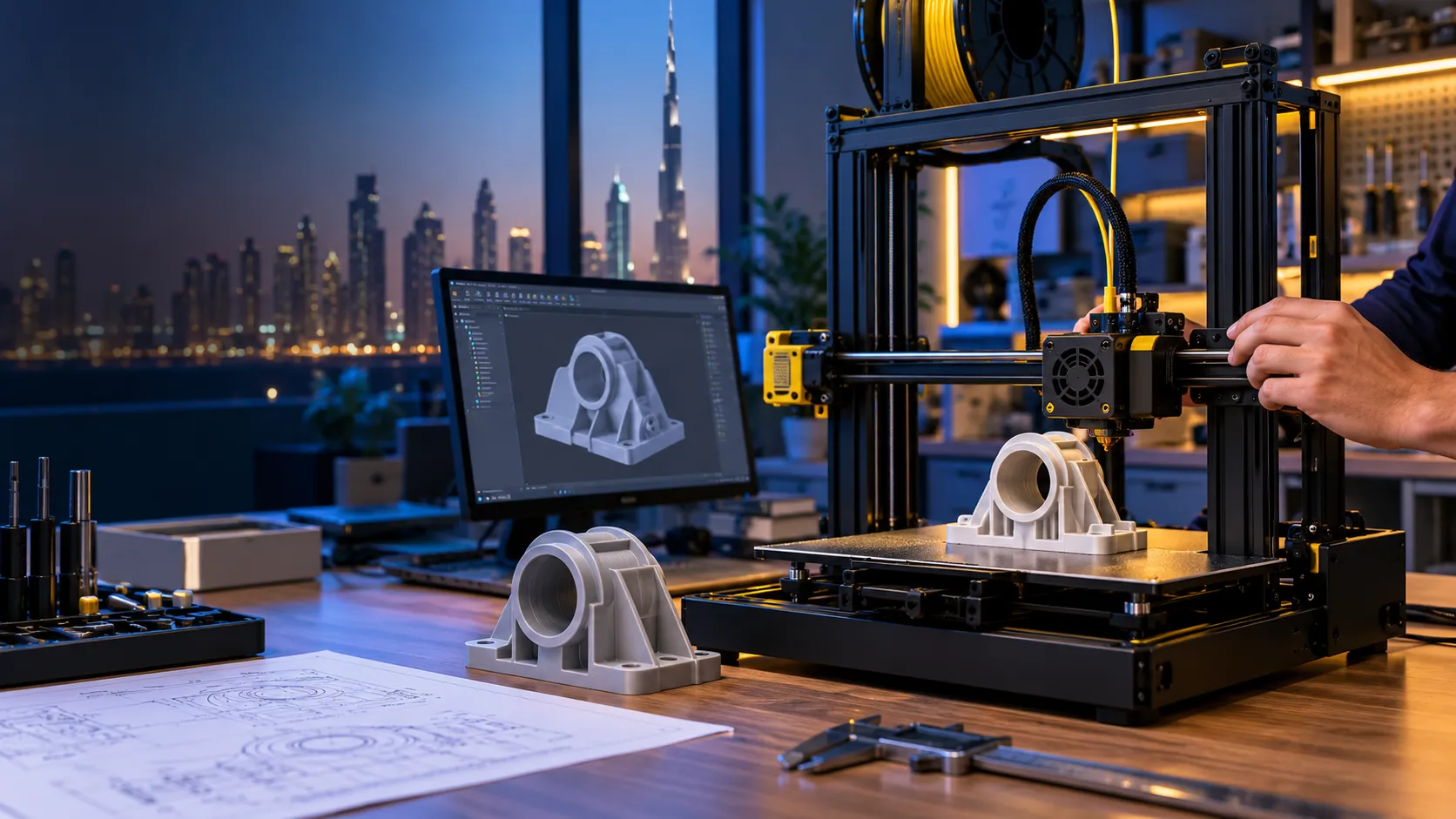
Bright Future Training Institute’s 3D Printing and Additive Manufacturing Course in Dubai gives you a practical route from an idea on screen to a physical, inspected component. Instead of learning isolated software commands, you follow the full workflow: define the design requirement, build a printable CAD model, select a process and material, slice the file, set up the machine, print, diagnose defects, and finish the part.

The course is designed for beginners as well as engineering, architecture, manufacturing and product-design learners who want to make prototypes or functional parts with greater accuracy and confidence. Guided demonstrations are followed by supervised practice, so every topic connects to a real production decision.

What You Will Be Able to Do

  • Explain where FDM/FFF, SLA/MSLA and industrial additive processes are most useful.
  • Create and evaluate models for additive manufacturing rather than only for screen presentation.
  • Prepare STL and 3MF files, choose suitable orientation, and configure supports and build-plate adhesion.
  • Adjust layer height, walls, infill, temperature, speed, cooling and retraction for the required result.
  • Set up and calibrate a desktop 3D printer for a reliable first layer and repeatable output.
  • Compare common materials such as PLA, PETG, ABS/ASA and TPU for strength, finish and use case.
  • Identify common print defects, test likely causes, and improve the next print systematically.
  • Complete a capstone project from design brief to printed, measured and finished component.

A Practical Design-to-Print Learning Path

The learning sequence mirrors a real additive-manufacturing project. You begin with the purpose of the part, then make design choices based on load, fit, tolerances, print orientation, material behaviour and the limits of the selected process. This approach helps you understand why a print succeeds—not simply which button to press.

1. Design with the Manufacturing Process in Mind

Build or refine a CAD model while considering wall thickness, clearances, overhangs, bridging, part orientation and assembly. Learners who already use AutoCAD 3D or SolidWorks can connect familiar modelling skills to the requirements of physical printing.

2. Prepare the Print Intelligently

Inspect the geometry, choose an export format, and configure a slicer. You will compare how supports, shell thickness, infill, layer height and orientation affect surface quality, strength, material use and print time.

3. Operate, Observe and Improve

Set up the printer, verify the first layer, monitor the build and document results. When defects appear, you will work through evidence-based checks instead of changing several settings at once.

Hands-On Projects That Build Real Capability

Your practice progresses from controlled exercises to a complete capstone workflow.

Calibration and Quality Sample

Print a compact test piece, measure key features and compare the result with the digital model. Use the observations to improve first-layer quality, dimensions, bridging and overhang performance.

Functional Component

Create a part such as a bracket, enclosure element, jig, fixture or mechanical adapter. Select the material and print settings based on how the component will be used, then inspect fit and finish.

Capstone: Brief to Finished Prototype

Plan, model, slice, print, inspect and post-process an original component. The final review focuses on design decisions, process selection, quality, documentation and the improvements you would make in another production cycle.

Who Should Join This Course?

This program is suitable for:

  • Engineering and polytechnic students
  • Mechanical, civil, electrical and industrial engineering professionals
  • Architects, interior designers and model makers
  • CAD users moving from digital modelling to physical prototyping
  • Product designers, makers and entrepreneurs
  • Manufacturing, maintenance and technical-team members
  • Beginners who want a structured introduction to 3D printing

No previous 3D-printing experience is required. Basic computer confidence is helpful. Learners with prior CAD experience can focus more quickly on design-for-additive-manufacturing decisions.

Skills You Can Apply After Training

3D printing is used for visual prototypes, fit checks, customised components, tooling aids, architectural models, educational models and low-volume production. The course develops a practical foundation relevant to roles and tasks such as:

  • Additive manufacturing or 3D-printing technician
  • CAD modeller or design assistant
  • Product-development and prototyping support
  • Engineering workshop and manufacturing support
  • Architectural model production
  • Maker-space or lab operation
  • Custom product and small-batch prototyping

Training strengthens your technical portfolio, but it does not guarantee a particular job or salary. Your opportunities will depend on your wider engineering knowledge, portfolio, experience and the requirements of each employer.

Why Learn at Bright Future Training Institute?

  • Project-led instruction: concepts are connected to printable parts and measurable results.
  • A complete workflow: design, file preparation, machine setup, printing, inspection and finishing are taught as one process.
  • Trainer guidance: Mr Obdha supports engineering learners with structured design, documentation and problem-solving practice.
  • Small-step progression: beginners can build confidence while experienced CAD users deepen their manufacturing knowledge.
  • Flexible learning options: ask the admissions team about the current classroom, online, weekday, evening and weekend schedules.
  • Related learning routes: continue into engineering courses, Autodesk BIM or 3ds Max according to your goals.

Start Your 3D Printing Training in Dubai

Bring your idea, drawing or learning goal to a course consultation. The Bright Future team will help you understand the current schedule, delivery options and the most suitable starting point for your experience.

02

Course

Curriculum

3D Printing and Additive Manufacturing Course Curriculum

Module 1: Additive Manufacturing Foundations

  • The design-to-print workflow
  • Additive versus subtractive manufacturing
  • Desktop, professional and industrial applications
  • FDM/FFF, SLA/MSLA, SLS and other process families
  • Selecting a process for the part, material and required finish

Module 2: 3D Printer Systems and Safe Operation

  • Frame, motion system, extruder, hotend, nozzle and build plate
  • Filament path, sensors and machine controls
  • Resin workflow awareness and handling precautions
  • Workspace preparation, ventilation and personal safety
  • Pre-print and shutdown checks

Module 3: CAD Modelling for Printable Parts

  • Sketches, dimensions and design intent
  • Extrude, revolve, sweep and loft workflows
  • Fillets, chamfers, holes, shells and patterns
  • Parametric edits and model organisation
  • Building a clean solid suitable for export

Module 4: Design for Additive Manufacturing

  • Minimum wall thickness and feature size
  • Tolerances, clearances and fit
  • Overhangs, bridges and self-supporting geometry
  • Strength direction and layer orientation
  • Splitting large parts and designing assemblies
  • Reducing supports without losing function

Module 5: File Preparation and Geometry Checks

  • STL, 3MF and OBJ file formats
  • Resolution and mesh quality
  • Watertight geometry, normals and common mesh errors
  • Exporting from CAD at an appropriate quality
  • Repairing and validating a printable model

Module 6: Slicing Workflow

  • Slicer interface and printer profiles
  • Layer height, line width, walls, top and bottom layers
  • Infill pattern and density
  • Print sequence and preview inspection
  • Estimating material use and production time

Module 7: Orientation, Supports and Adhesion

  • Selecting part orientation for strength and finish
  • Normal and tree-style support strategies
  • Support placement, density and interface layers
  • Skirt, brim and raft use cases
  • Build-surface preparation and first-layer control

Module 8: Process Parameters

  • Nozzle and bed temperature
  • Print, travel and first-layer speeds
  • Retraction, cooling and flow
  • Balancing quality, strength, time and material
  • Creating and refining process profiles

Module 9: Materials and Storage

  • PLA, PETG, ABS/ASA and TPU characteristics
  • Introduction to nylon and filled composites
  • Material selection by use case
  • Moisture, drying and storage
  • Matching material, nozzle and machine capability

Module 10: Calibration and Printer Setup

  • Bed levelling and Z-offset
  • First-layer calibration
  • Loading, unloading and changing filament
  • Temperature and retraction checks
  • Dimensional verification and repeatability

Module 11: Troubleshooting and Quality Control

  • Poor adhesion, warping and layer separation
  • Stringing, blobs and surface marks
  • Under-extrusion and over-extrusion
  • Layer shifts, ringing and support failure
  • Dimensional accuracy and fit problems
  • A controlled diagnose-test-document-improve method

Module 12: Post-Processing and Maintenance

  • Safe removal from the build plate
  • Support removal and edge clean-up
  • Sanding, filling, assembly and basic surface finishing
  • Nozzle, extruder and build-surface care
  • Routine inspection and preventive maintenance

Module 13: Practical Projects and Capstone

  • Calibration and quality sample
  • Functional component with fit or load requirements
  • Capstone: brief, CAD model, slicer setup, print and inspection
  • Process documentation and improvement review
  • Project presentation and instructor feedback
03

Course

Instructor

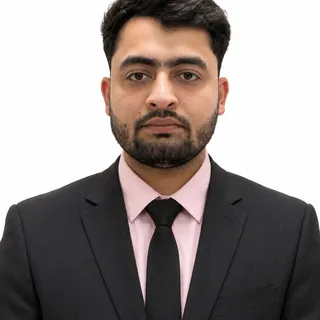
Mr Obdha

Course instructor

Mr Obdha

Engineering Design and BIM Trainer

Mr Obdha focuses on applied engineering design, coordinated BIM workflows, technical documentation, and project-based software practice.

Training focus

  • CAD and BIM project workflows
  • AutoCAD and Autodesk platforms
  • Revit Architecture, Structure and MEP
  • Engineering documentation and coordination
04

Course

FAQs

3D Printing Course FAQs

Is this 3D printing course suitable for beginners?

Yes. The course begins with the complete design-to-print workflow, printer components and safe setup before moving into modelling, slicing, calibration and troubleshooting. Learners with CAD experience can progress faster through the design exercises.

What will I learn in the 3D printing and additive manufacturing course?

You will learn how to prepare a printable model, choose a process and material, configure slicer settings, set up a desktop printer, monitor a build, diagnose common defects, inspect the result and complete basic post-processing.

Which 3D printing technologies are covered?

The practical focus is desktop FDM/FFF printing. The course also explains the workflow, strengths and limitations of SLA/MSLA resin printing and introduces industrial additive processes such as SLS so that you can compare technologies appropriately.

Which materials will I study?

The curriculum compares common filaments including PLA, PETG, ABS/ASA and TPU, with an introduction to nylon and composite materials. Actual materials used in a class may depend on the available equipment and the safety requirements of the selected project.

Do I need to know CAD before joining?

No previous CAD experience is required for the introductory modelling exercises. If you already use AutoCAD, SolidWorks or another 3D-modelling tool, the trainer can help you connect those skills to design-for-additive-manufacturing principles.

Will I complete practical 3D-printing projects?

Yes. The learning path includes calibration work, a functional component and a capstone project that takes a design from the initial brief through slicing, printing, inspection and finishing.

Are classroom and online options available?

Delivery options and batch timings can change. Contact Bright Future Training Institute to confirm the current classroom, online, weekday, evening or weekend schedule and what equipment access is included with each option.

Where is the training centre located?

Bright Future Training Institute is in Bur Dubai, close to BurJuman Metro Station. Open the Location tab for the address, map and travel guidance from different areas of Dubai.

Will I receive a certificate?

Ask the admissions team to confirm the current completion requirements and certificate details for your selected batch before enrolling.

05

Course

Location

Conveniently Located 3D Printing and Additive Manufacturing Course in Dubai

Our main training centre is in Bur Dubai, near BurJuman Metro Station and accessible from across the city. Join us there for 3D Printing and Additive Manufacturing, or contact admissions to ask about online options.

Our Bur Dubai Training Centre

Address:
Bright Future Training Institute
Suite 404, Fourth Floor, NBQ Building, Bank Street, Bur Dubai, Dubai, UAE

Located in the heart of Bur Dubai, our centre is near BurJuman Metro Station and served by public transport. If you plan to drive, check parking availability before your visit.

We Serve Students From All Dubai Areas

Students come from across Dubai for 3D Printing and Additive Manufacturing. Our classroom training takes place in Bur Dubai; ask our admissions team about current schedules and remote-learning availability.

3D Printing and Additive Manufacturing near Umm Suqeim

Students from Umm Suqeim can reach our Bur Dubai centre by road or ask about online study options.

3D Printing and Additive Manufacturing near Dubai Marina

Dubai Marina learners can travel to our Bank Street centre or enquire about remote learning.

3D Printing and Additive Manufacturing near JVC

Learners in Jumeirah Village Circle can contact admissions for current class schedules and online options.

3D Printing and Additive Manufacturing near Downtown Dubai

Downtown Dubai professionals can ask about class times that fit around their workday.

3D Printing and Additive Manufacturing near Deira

Deira students can connect to Bur Dubai by metro or road to attend in-person classes.

3D Printing and Additive Manufacturing near Business Bay

Business Bay learners can contact us about the next available classroom or online batch.

3D Printing and Additive Manufacturing near Karama

Karama is close to our Bur Dubai training centre on Bank Street.

3D Printing and Additive Manufacturing near Sharjah

Sharjah residents can ask about suitable classroom schedules or online learning.

3D Printing and Additive Manufacturing near Jumeirah

Jumeirah students can visit our Bur Dubai centre or enquire about online options.