Build Practical IT Support Skills with CompTIA A+ Training
The CompTIA A+ Course in Dubai at Bright Future Training Institute develops the practical foundation needed to install, configure, secure, maintain and troubleshoot modern computer systems. The training connects hardware, operating systems, mobile devices, networking, cloud concepts, cybersecurity and professional support procedures in one structured learning path.
You do more than memorise terminology. Guided demonstrations and hands-on exercises help you identify components, plan upgrades, configure devices, work with Windows and Linux tools, diagnose common faults, protect endpoints and communicate solutions clearly. The course is suitable for beginners entering IT as well as support staff who want to organise their experience around the current CompTIA A+ Core 1 and Core 2 objectives.
What You Will Be Able to Do
- Identify desktop, laptop and mobile-device components and explain their purpose.
- Install or replace RAM, storage, power, cooling and common peripheral hardware safely.
- Configure Windows settings and use essential command-line and administrative tools.
- Explain networking fundamentals and connect wired, wireless and small-office devices.
- Diagnose hardware, operating-system, application, connectivity and printing problems.
- Apply endpoint security, access-control, malware-response and data-protection practices.
- Work with virtual machines, cloud-service concepts and remote-support tools.
- Document incidents and support users through a professional troubleshooting process.
- Prepare systematically for the current CompTIA A+ Core 1 and Core 2 examinations.
A Complete Foundation for Entry-Level IT Support
Modern support technicians need to understand how devices, software, networks and users affect one another. A slow laptop may involve storage, memory, malware, a damaged profile or a network service. A printer problem may originate in hardware, drivers, permissions, connectivity or the print queue. This course teaches you to collect evidence, isolate the probable cause, test a solution and confirm that the full service has been restored.
Computer Hardware and Mobile Devices
Learn how processors, motherboards, memory, storage, power supplies, cooling systems, ports and expansion devices work together. You will practise recognising compatibility requirements and choosing sensible installation or upgrade steps. Mobile-device sessions cover laptop components, common accessories, wireless connectivity and safe support procedures.
Operating Systems and Administration
Develop confidence with Windows installation, configuration, file systems, user accounts, permissions, recovery tools and routine maintenance. The course also introduces macOS, Linux and mobile operating systems so that you can recognise their core features and support mixed-device environments.
Networking and Connected Services
Understand IP addressing, common ports and protocols, Wi-Fi standards, network devices, internet connections and small-office configuration. You will learn how to check physical connectivity, address configuration, name resolution and service availability before deciding where a fault is located. Learners planning to specialise further can continue into our CompTIA Network+ training or CCNA certification course.
Security and Operational Practice
Support work includes protecting devices, accounts and data. Training covers authentication, permissions, endpoint hardening, wireless security, malware symptoms, safe removal procedures, backups, change control, documentation, privacy and basic physical security. You also practise professional communication, escalation and safety procedures that matter in a real service desk or field-support environment.
Practical Labs and Guided Activities
Every major topic is connected to a practical task or troubleshooting scenario. Available equipment and exercises may vary by batch, but the learning process remains consistent: observe the problem, gather information, form a likely explanation, test safely, document the outcome and recommend prevention.
PC Component and Upgrade Lab
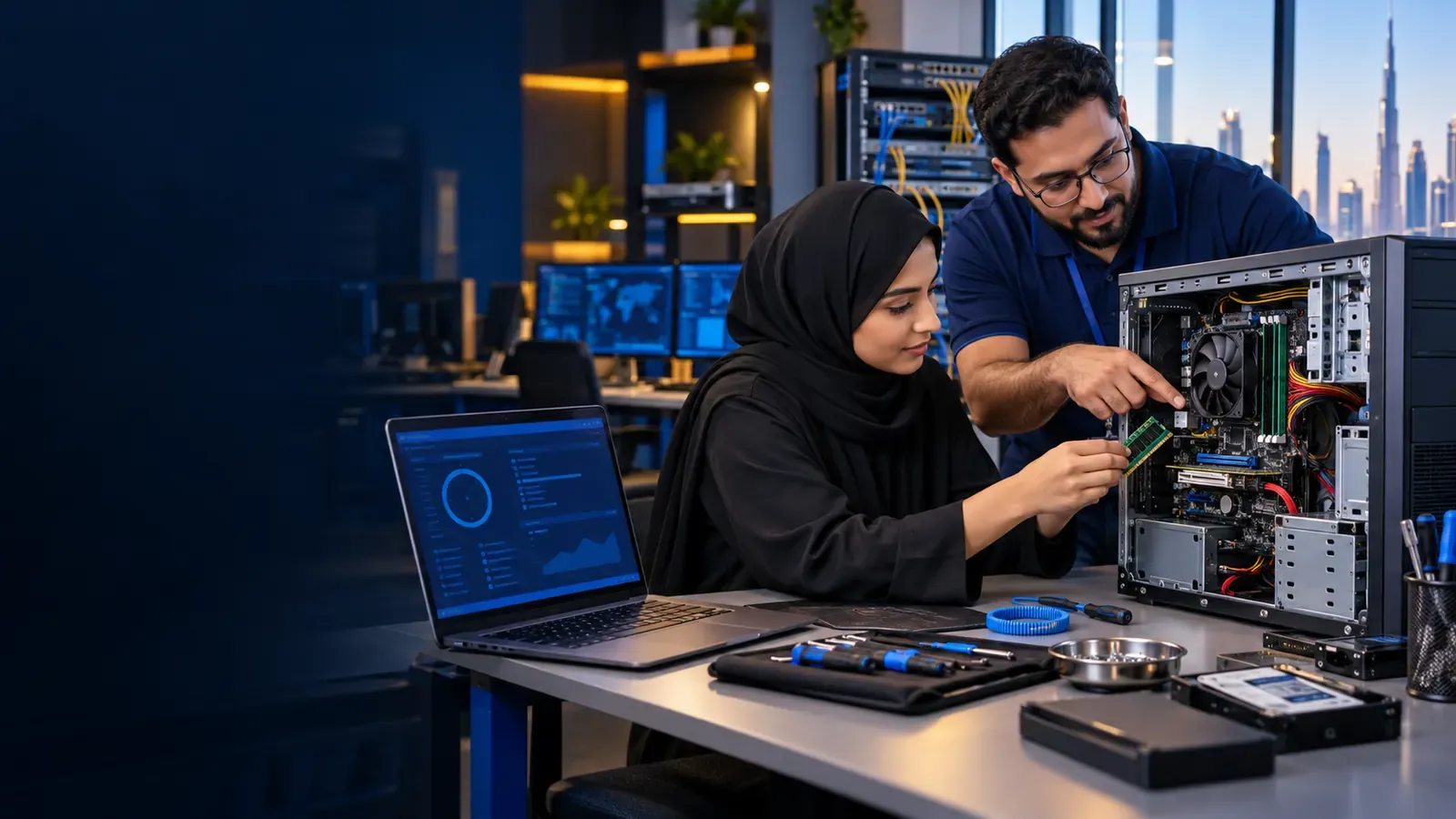
Inspect a desktop system, identify its internal components and plan an upgrade based on a realistic requirement. Practise anti-static precautions, cable management and post-installation checks while learning why compatibility, power and cooling must be reviewed before a part is replaced.
Operating-System Support Lab
Work through user, storage, startup, driver, permission and application scenarios using graphical and command-line tools. You will practise selecting a recovery option that protects user data and fits the seriousness of the fault.
Small-Network Troubleshooting Lab
Trace a connectivity problem from the device to the local network and internet service. Check adapters, cables, Wi-Fi settings, addressing, gateway, DNS and relevant services in a logical sequence rather than changing unrelated settings.
Security and Incident-Response Exercise
Review a suspicious endpoint, identify risk indicators and choose appropriate containment, remediation and documentation actions. The exercise reinforces the difference between removing a symptom and restoring a secure, trusted system.
Support Desk Capstone
Complete an end-to-end support scenario that combines user communication, hardware or software diagnosis, a tested solution and a clear service record. The goal is to demonstrate both technical competence and the calm, structured behaviour employers expect from support professionals.
Who Should Join the CompTIA A+ Course?
This program is suitable for:
- Beginners who want a structured entry into the IT industry.
- Students and career changers exploring technical-support roles.
- Help-desk, desktop-support and field-service staff formalising their knowledge.
- Office administrators responsible for basic device and user support.
- Small-business team members who maintain workstations and peripherals.
- Learners preparing for the CompTIA A+ Core 1 and Core 2 exams.
- Candidates planning to progress into networking, cloud or cybersecurity training.
There are no formal course prerequisites. Basic confidence using a computer is helpful. CompTIA recommends relevant hands-on experience for certification candidates, so beginners should use the labs, revision activities and additional practice time to build familiarity before scheduling an external exam.
CompTIA A+ Certification Preparation
The current CompTIA A+ certification path is earned by passing two exams: Core 1 (220-1201) and Core 2 (220-1202). Core 1 focuses on areas such as mobile devices, networking, hardware, virtualisation, cloud computing and troubleshooting. Core 2 focuses on operating systems, security, software troubleshooting and operational procedures.
Bright Future’s course is designed to support preparation for these objectives while developing skills that remain useful beyond an exam. Because CompTIA can update exam policies, fees, delivery options and objectives, candidates should confirm the latest requirements on the official CompTIA website before buying vouchers or booking tests. External examination fees are not represented as included unless your written enrolment quotation specifically says so.
Exam-Preparation Support
- Topic reviews mapped to the two current exam cores.
- Knowledge checks that reveal areas requiring more practice.
- Scenario-based questions and guided reasoning.
- Revision planning across hardware, networking, systems and security.
- Advice on using official objectives to track progress.
- Mock-test practice under realistic time pressure where included in the batch.
We do not use or encourage exam dumps. Effective preparation comes from understanding the published objectives, practising the underlying skills and being able to explain why a solution is appropriate.
Career Paths After CompTIA A+ Training
CompTIA A+ is widely associated with entry-level technical-support capability. Training can strengthen your preparation for roles such as:
- IT Support Technician
- Help Desk Technician
- Desktop Support Technician
- Field Service Technician
- Junior Systems Support Assistant
- Technical Support Representative
- Computer Repair Technician
- Service Desk Analyst
Certification and training do not guarantee a particular job or salary. Employment outcomes depend on your practical ability, communication, experience, portfolio, interview performance and each employer’s requirements. Learners who want to deepen their pathway can progress into ITIL 4 Foundation, ICDL digital skills, Network+ or CCNA training.
Why Choose Bright Future Training Institute?
- Hands-on learning: Practical activities connect concepts to real support situations.
- Structured progression: Beginners move from components and operating systems to integrated troubleshooting.
- Trainer guidance: Mr Bilal leads the course with a technician-focused approach to hardware, connectivity, safety and fault finding.
- Current exam alignment: Lessons are organised around the present Core 1 and Core 2 knowledge areas without reducing the course to memorisation.
- Small-group support: Learners can ask questions, repeat difficult procedures and receive corrective feedback.
- Flexible schedules: Ask about current classroom, online, weekday, evening and weekend options.
- Dubai location: The Bur Dubai training centre is close to BurJuman Metro Station and accessible from across the city.
- Connected learning routes: Continue into networking, systems, cybersecurity or IT service management as your career goal becomes clearer.
Start Your IT Support Training in Dubai
Speak with the Bright Future admissions team about your current experience, career goal and preferred schedule. We will explain the available batch, delivery mode, practical activities, course completion requirements and what is included before you enrol in the CompTIA A+ course.